
Free plugin
XML Ürün Aktarım for WooCommerce
Keep your shop in sync with your supplier's XML.
Version 1.0.0 · 108 KB · WordPress 6.5+ · PHP 7.4+
- WooCommerce compatible
- HPOS
- Turkish & English
How it works
Three steps to set up; the plugin does the rest.
-
1
Analyse the XML
The product node is detected and every field is shown in a tree with sample values.
-
2
Map the fields
Drop-down lists or drag and drop; nested or grouped variations.
-
3
Schedule it
Hourly, daily or manual; processed in batches, every run logged.
Key features
Point the plugin at the supplier address or upload the file, map the fields once; it adds new products and keeps stock and prices up to date on a schedule. When the feed looks wrong, a safety brake stops before touching anything.
Address or file
An address with optional Basic auth (password stored encrypted) or an uploaded XML file.
Streaming
Large files are read with XMLReader one product at a time; never loaded as a whole.
Safety brake
An empty or broken XML, or a product count that fell too far, stops the run before anything changes.
Price rules
Percent or fixed margin, rounding to ,90 / ,99 / whole numbers, margin per supplier category.
Dry run
See what a run would add, update and set out of stock, without writing anything.
Run log
Added, updated, skipped and error counts with a filterable list per product.
Mapping, rules, log
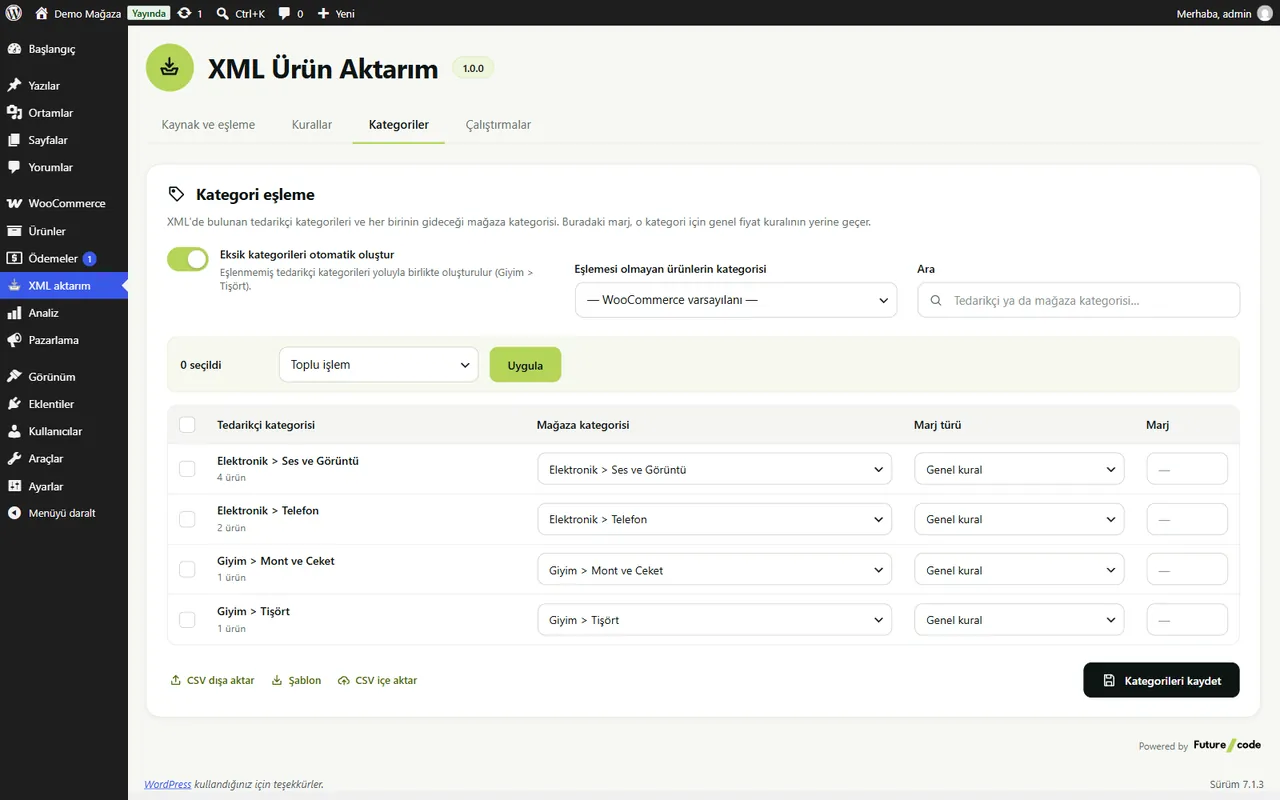
Map supplier categories to shop categories, give each a margin and create missing ones automatically.
- Supplier → shop category mapping
- Margin per category
- Mapping CSV export / import
- A spinner toast on every action
Paid alternatives: ₺1,000 – ₺1,990, free here.
Supplier XML Import is free and GPL licensed; no feature is locked by a licence. Source: market research, October 2026. Price range of paid alternatives today.
Frequently Asked Questions
From the plugin's readme file.
My supplier's XML is huge. Will my server cope?
Yes. The XML is streamed and products are processed in batches (50 by default). In a 10,000 product test the 6.5 MB XML was read in 0.6 s and PHP memory stayed under 134 MB for the whole import (WordPress and WooCommerce included).
When does the safety brake stop a run?
When the XML cannot be downloaded, is empty or broken, or the product count fell more than the set percentage (30 % by default). Nothing is changed.
What happens to products that leave the XML?
You choose on Rules: leave, stock 0 or draft. Only products added or matched by this plugin are affected.
Are images downloaded again on every run?
No. Each image address is downloaded once.
Can I connect several suppliers?
The free plugin is designed for one supplier source. That is its scope, not a lock; unlimited sources are planned for a separate Pro plugin.


