
Free plugin
KVKK Çerez Onayı
Ask for cookie consent the way the KVKK guide describes, and really hold scripts back.
Version 1.0.1 · 112 KB · WordPress 6.5+ · PHP 7.4+
- No WooCommerce needed
- Consent Mode v2
- Turkish & English
How it works
Three steps to set up; the plugin does the rest.
-
1
Activate
It works at once with Turkish or English default texts.
-
2
Create the policy pages
Cookie policy and privacy notice templates come as drafts with your company details.
-
3
Scripts wait for consent
Recognised trackers stay blocked until the visitor allows their category.
Key features
Asks visitors for cookie consent as the Turkish Data Protection Authority's cookie guide describes and holds back analytics and advertising scripts until they agree. Works on any WordPress site; WooCommerce is not needed.
Equal buttons
"Accept all", "Essential only" and "Preferences" share colour, size and font; no dark patterns.
Real script blocking
GA4, Tag Manager, Meta Pixel, Hotjar, Yandex Metrica, Clarity, LinkedIn and TikTok wait for consent.
Google Consent Mode v2
Defaults to "denied", updated on consent. Basic, advanced or off.
TR/EN templates
Cookie policy and KVKK privacy notice templates; not legal advice.
Anonymous consent log
Random id, date, version and categories; IPs are not stored by default. CSV export.
Light and cache friendly
One small CSS and JS file, no jQuery; everybody gets the same HTML, cached pages stay valid.
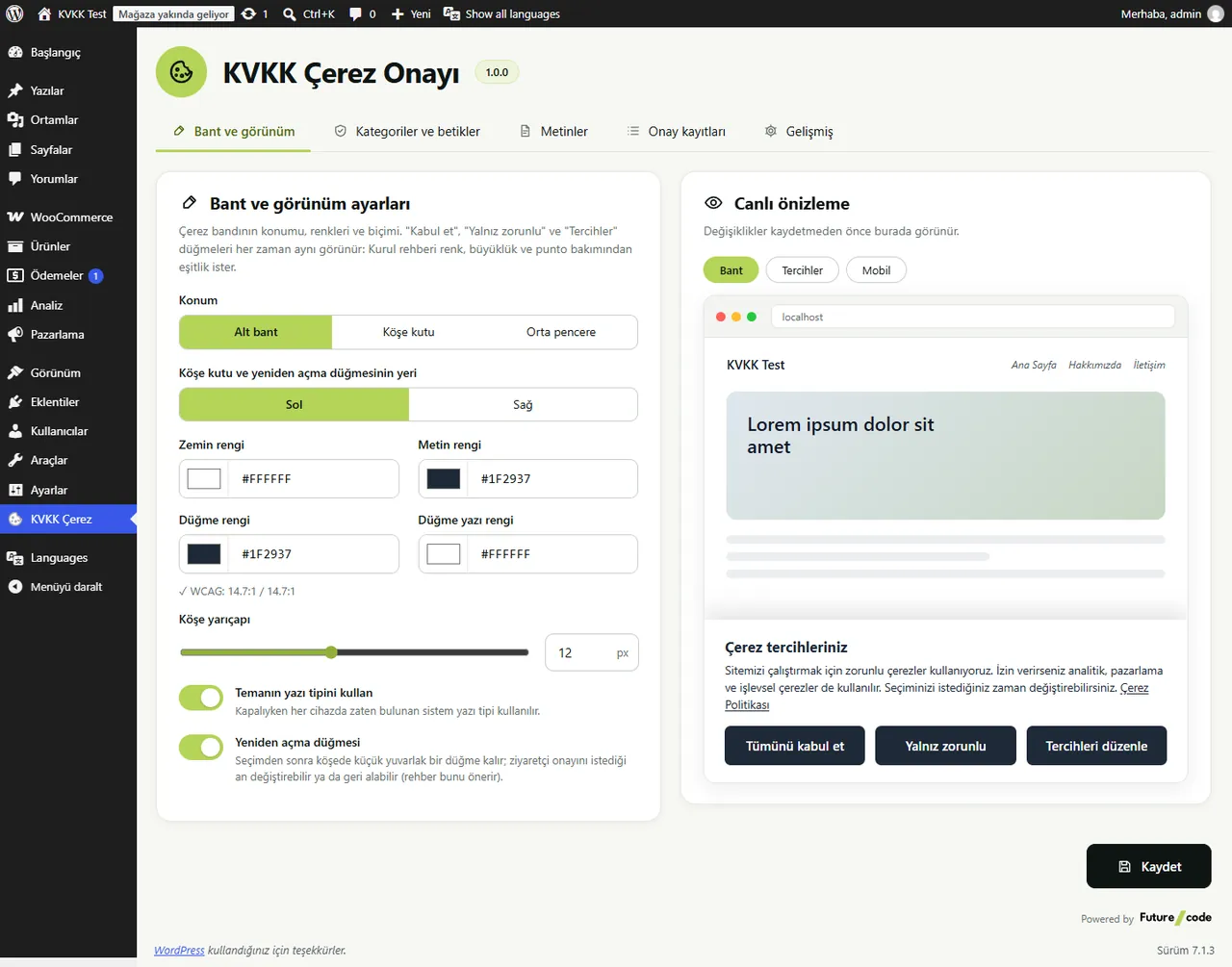
Design with a live preview
While you pick position, colours and radius, the banner, the preferences dialog and the mobile view update live.
- Bottom bar, corner box or centre window
- WCAG contrast check
- Polylang and WPML string translation
- Consent version: ask again when the policy changes
Paid alternatives: ₺1,450/year, free here.
KVKK Cookie Consent is free and GPL licensed; no feature is locked by a licence. Source: market research, October 2026. Price range of paid alternatives today.
Frequently Asked Questions
From the plugin's readme file.
Does this plugin make my site KVKK compliant?
Not on its own. It gives you a consent mechanism and technical blocking that follow the Board's guide; your texts, the cookies you really use and your other duties remain yours. The templates are not legal advice.
Does it work with my cache plugin?
Yes. The server sends the same HTML to everybody; the banner and the choice are handled in the browser, and the record endpoint does not use a nonce.
How does a visitor withdraw consent?
With the corner button, the [fckc_cerez_tercihleri] shortcode or a #fckc-tercihler menu link. Cookies of switched-off categories are deleted.
Are IP addresses stored?
No by default. You can choose a salted hash or a shortened address on the Advanced tab.
Basic or advanced Consent Mode?
Basic sends nothing to Google before consent and is the default. Decide on advanced mode with your legal adviser.


